
CREATING A RESELLER
Creating and managing a reseller is similar to creating and managing a customer. You can also define custom reseller types to support filtering and analysis.
INVITING A RESELLER TO THE RESELLER PORTAL
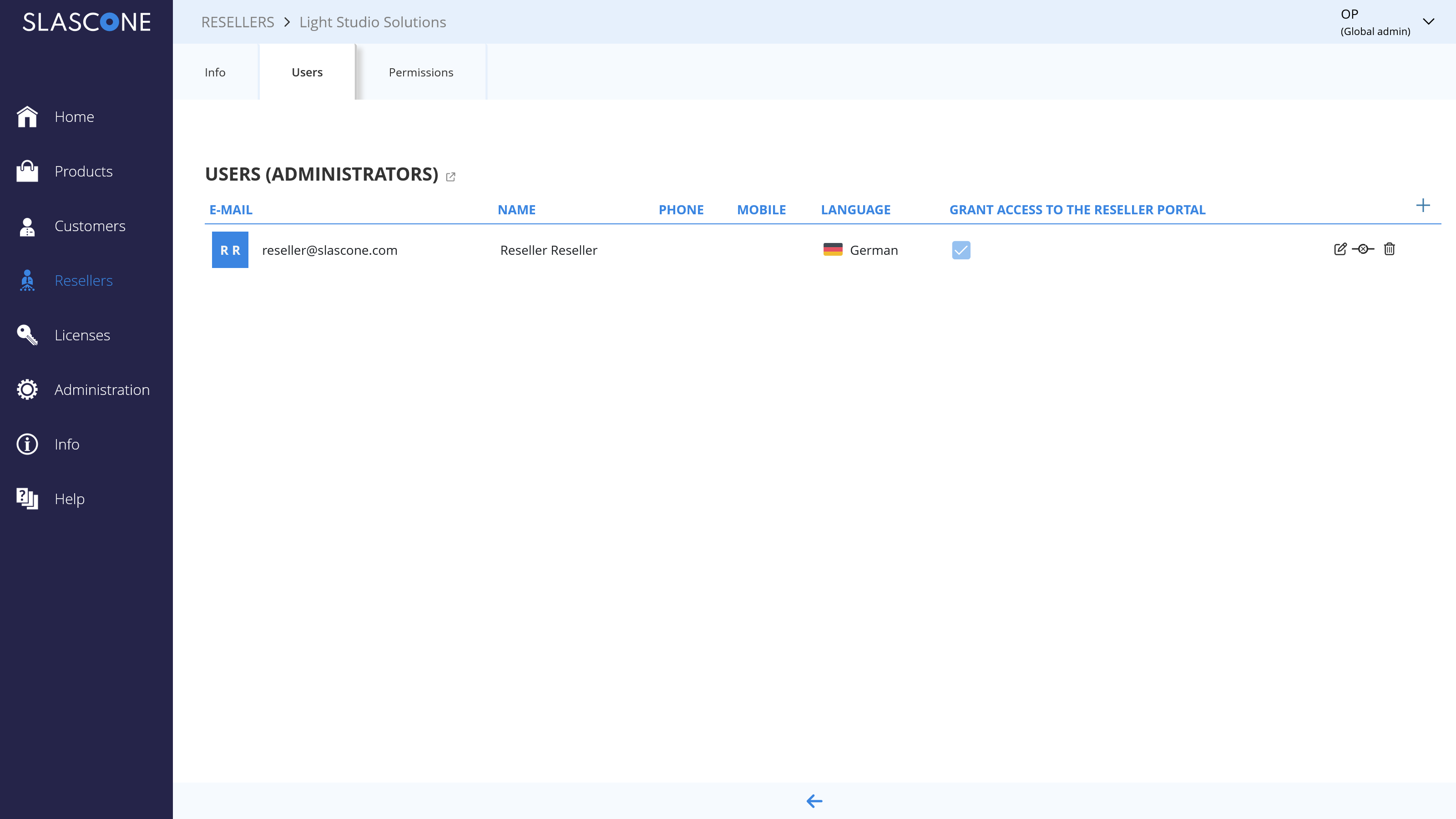
Reseller users access SLASCONE through the reseller portal. The reseller portal uses the same registration and authentication flow as the vendor portal.
To grant portal access, assign a user with a valid email address in the corresponding reseller area.
SETTING RESELLER PERMISSIONS
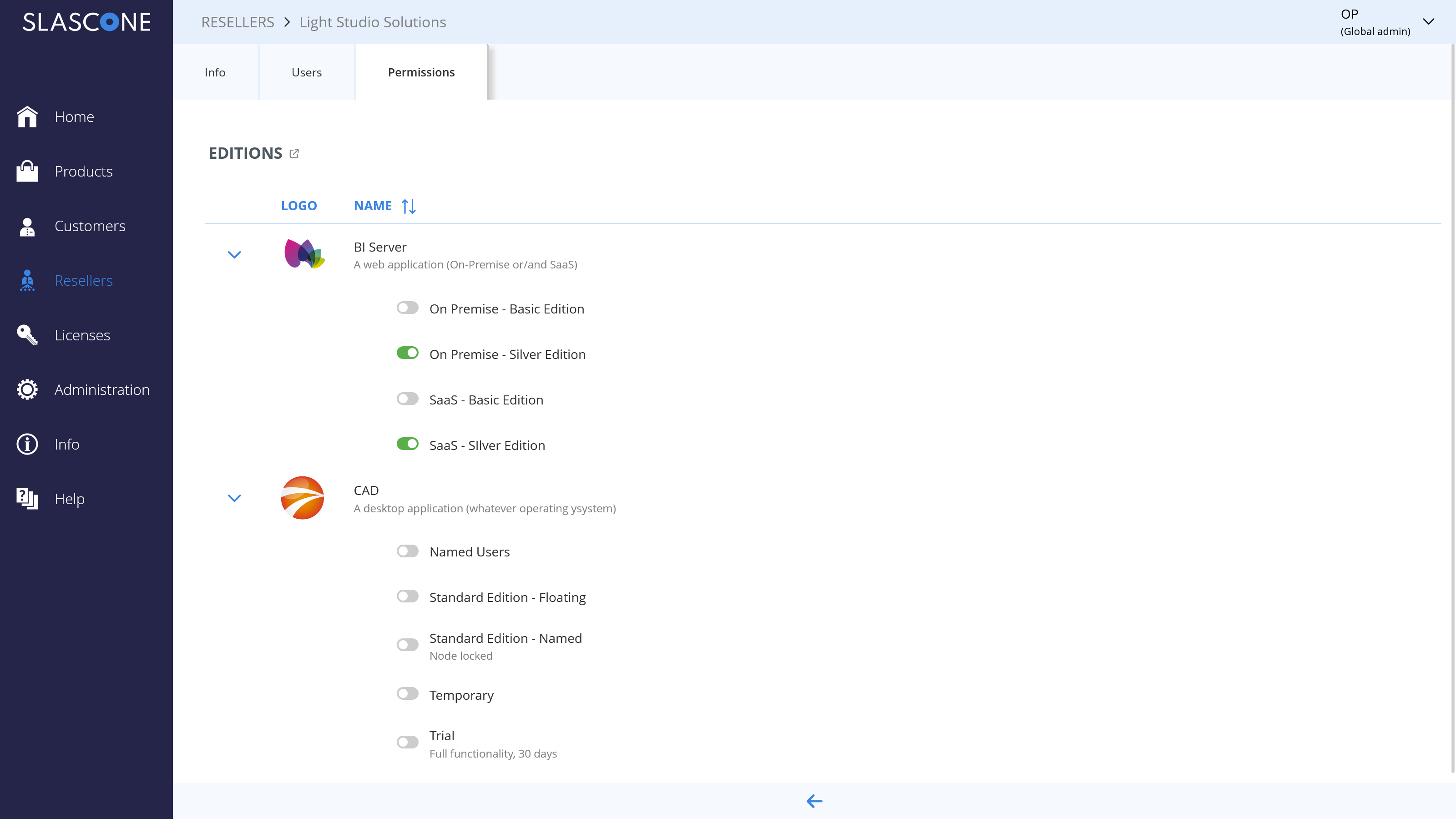
Reseller permissions define what a reseller is allowed to manage independently.
A common requirement is to restrict a reseller to specific products and editions. For example, Reseller A may only be allowed to create licenses for Product A, Standard Edition, while Reseller B may only be allowed to create licenses for Product B, Silver Edition.
GLOBAL SETTINGS
Global settings define the default behavior of the reseller portal. In addition to portal branding, they allow you to define default permissions and email behavior for resellers.
You can customize the appearance of the reseller portal to reflect your corporate identity as explained here.
If required, you can deactivate the global settings and define reseller-specific settings instead.
Default Role
- License and Customer Management: Resellers can create and modify both licenses and customers.
- License Management: Resellers can create and modify licenses, but they cannot create or modify customers.
- Viewer: Resellers can view data, but they cannot create or modify licenses or customers.
Email Configuration Mode
- Configure or Inherit: The reseller can either use the email configuration from the vendor portal or define its own email configuration.
- Configure (Reseller settings): The reseller must define its own email configuration.
- Inherit (Vendor settings): The reseller must use the email configuration from the vendor portal.
INDIRECT CUSTOMER MANAGEMENT
Vendors can access both direct customers and indirect customers managed through resellers. The reseller type filter helps distinguish between these groups in customer and licensing views.
In many scenarios, indirect customers are created and managed by the reseller in the reseller portal. However, a vendor can also create indirect customers directly if needed.
If a reseller should not manage customers independently, this can be restricted either through the administration area when branding the reseller portal or through reseller-specific settings as described above.
If a reseller does not want to reveal the real name of the end customer, alternative names or numbers can be used. This is typically a contractual matter between vendor and reseller.
LICENSE MANAGEMENT
Vendors can decide whether resellers are allowed to manage licenses independently.
If a reseller should not create or modify licenses, this can be restricted either through the administration area when branding the reseller portal or through reseller-specific settings as described above.
In practice, onboarding a reseller usually means deciding:
- whether the reseller receives portal access
- which products and editions the reseller may access
- whether the reseller may manage customers
- whether the reseller may manage licenses
- which email configuration mode should apply
Comments
0 comments
Please sign in to leave a comment.